The CMMS that keeps it simple
A CMMS brings all your maintenance into one place: requests, work orders, preventive schedules, assets and parts. Maint Vision keeps it simple: a clear tool your teams actually adopt, on desktop and in the field, with procedure AI (Business plan) and hosting in Europe.
What is a CMMS, in practice?
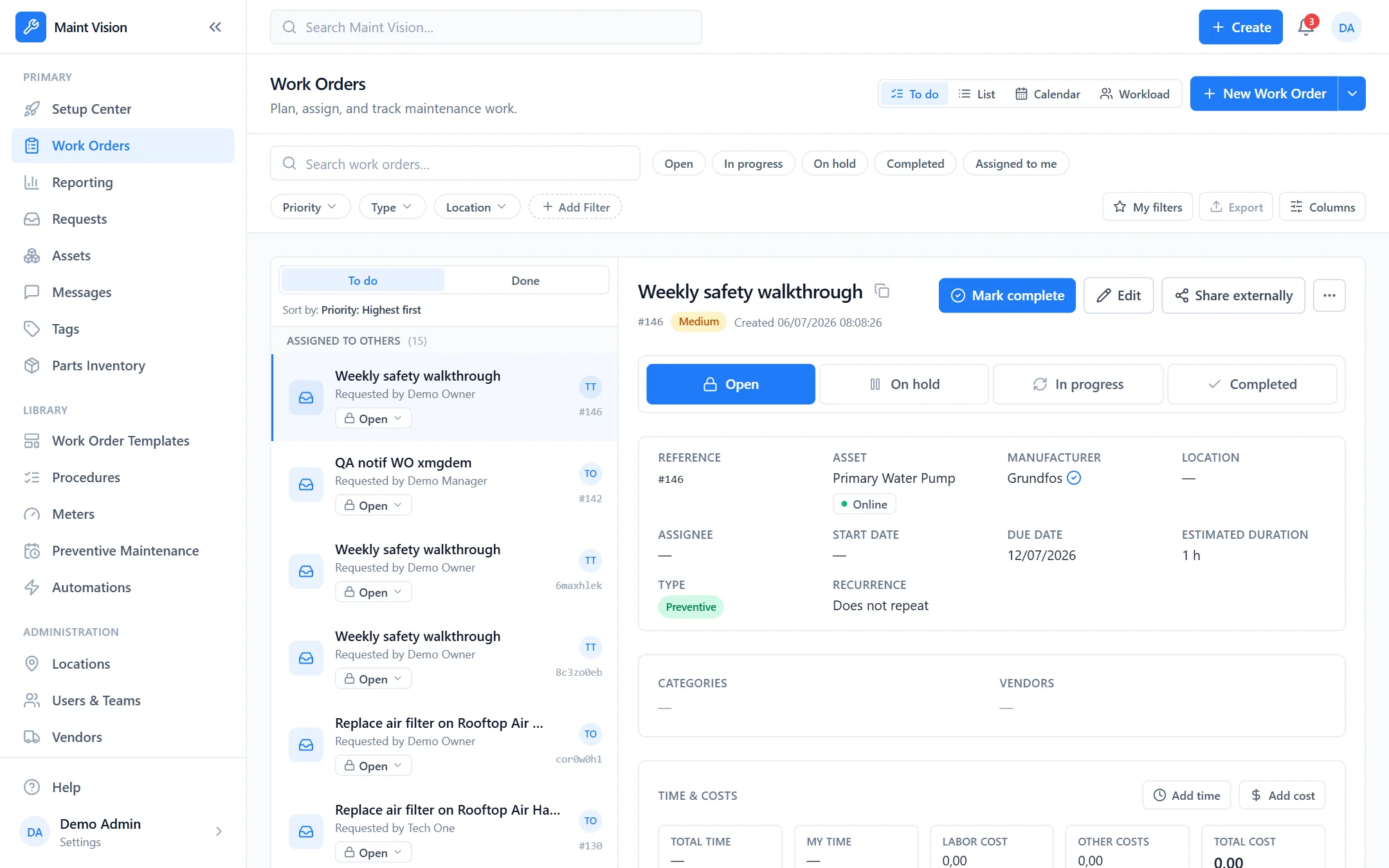
A CMMS (computerized maintenance management system) is the software that centralizes your maintenance: reporting a breakdown, creating a work order, scheduling preventive upkeep, tracking an asset’s history and managing spare parts. Instead of scattered spreadsheets and lost messages, you get a single source of truth shared across technicians, managers and sites. Every job is logged, every asset has its history. To dig deeper, read our guide: what is a CMMS.
The modules of a modern CMMS
A modern CMMS rests on a few building blocks that work together. Work orders structure every job. Preventive maintenance schedules upkeep by date or by usage. Assets keep their full history, parts inventory tracks your spares, and reports measure activity. The AI, for its part, generates your procedures. Everything is connected: a request becomes a work order, which draws down a part and feeds your statistics. Explore all the features.
Preventive maintenance, the heart of a good CMMS
Fixing after a breakdown is expensive; anticipating costs less. Preventive maintenance automatically triggers recurring jobs, by calendar (every month) or by usage (every 500 hours, every 10,000 cycles). Each asset carries its own upkeep plan, with the procedure to follow attached. Your technicians receive the right job at the right time, without thinking about it. The result: fewer unplanned stops, assets that last longer, and maintenance that shifts from firefighting to steady, planned work.
A CMMS that lives in the field
A CMMS only matters if technicians use it where they work. With the mobile app, your teams view their work orders, check off steps, and add photos and comments from their phone. A QR code stuck on a machine opens its full record in one scan: history, procedures, instant job creation. No more paper, no more data entry delayed until evening. Information is captured at the exact moment and place the work happens, and flows back to the office instantly.
Procedure AI, on the Business plan
At Maint Vision, generative AI is included in the Business plan. Send a photo of an asset or a PDF of a manufacturer’s manual: the AI turns it into a structured, typed procedure (steps, checkpoints, checkboxes). You no longer start from a blank page. Humans stay in control: every generated procedure is reviewed and validated before use. No black box, no risky predictive claims, just a concrete time saver to document your jobs and spread good practices.
A French CMMS, hosted in Europe
Your maintenance data is sensitive: it describes your facilities, your sites, your activity. Maint Vision is a French vendor and hosts your data in Europe, in Frankfurt. You stay fully within the GDPR framework. Encryption, strict separation between organizations, backups: security is built in, not bolted on afterward. EU hosting for the industries, small businesses and public bodies that want to know where their data lives.
How to choose and get started simply
Choosing a CMMS means aiming for adoption first: a tool that’s too heavy ends up unused. Favor clarity, field mobility and a real trial before committing. Our guide how to choose CMMS software covers the criteria that truly matter. With Maint Vision, you’re up and running in minutes: a free trial, no credit card, using your own assets. Create a first work order, test preventive maintenance, judge for yourself. The best way to choose is to try.