AI writes your procedures. You approve.
Writing a maintenance procedure by hand takes hours. Snap a photo of a manual or drop a PDF: Maint Vision’s AI turns it into a complete, typed procedure. You review, you correct, you approve. The AI drafts, the human decides.
Business plan only · Not part of the free trial
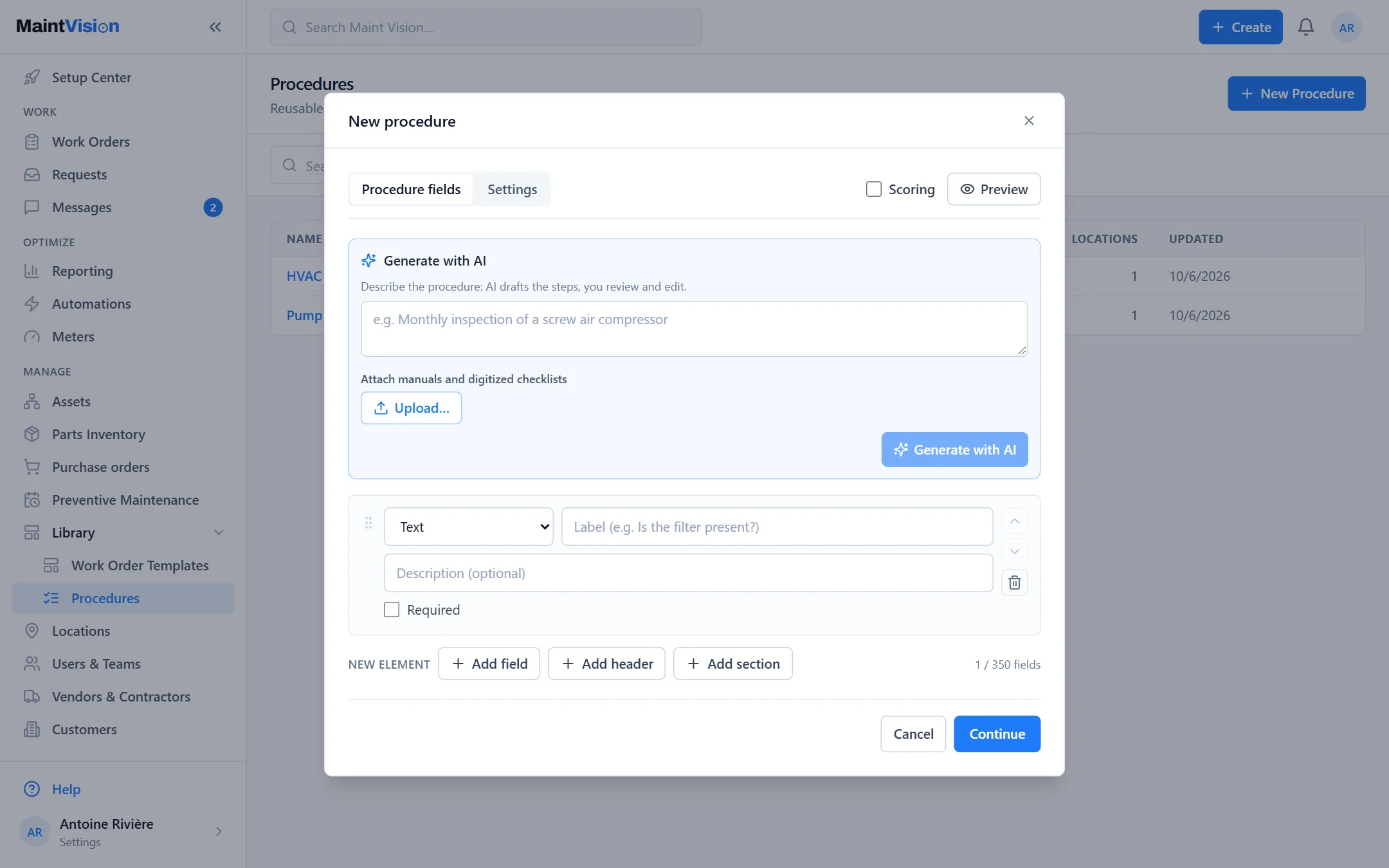
From a photo or a PDF to a complete procedure
Photograph a manual page, a paper checklist or an existing procedure, or drop a PDF. The AI reads the document and extracts the steps as a structured, ready-to-use procedure. What used to take an hour of typing becomes a draft produced in minutes, with only the adjustments left to make.
Properly typed steps: measurements, checkboxes, signatures
The AI doesn’t just copy text: it recognizes the nature of each step. A reading to capture becomes a measurement field, a checkpoint a checkbox, a sign-off a signature. The generated procedure is usable as-is in the field, not a plain block of text to retype.
Nothing ships without your review
The AI produces a draft, never a final procedure published behind your back. You review each step, correct it, complete it, then approve. Nothing reaches your technicians until you sign off. The AI saves you the typing; responsibility for the content stays with you.
Works in French and English
Whether your manual is in French or English, the AI reads the document and drafts the procedure in the language you want. Useful for bilingual teams, multi-country sites and English supplier documentation. You no longer have to translate a procedure by hand before you can use it.
Included in the Business plan, with no per-document surcharge
AI procedure generation is included in the Business plan, with no paid module to add and no per-document surcharge. Where others bill AI separately or per generated procedure, here it comes with the Business plan. You use it as much as you need, with no cap.
Frequently asked questions
Q.01Is this predictive maintenance?
Q.02What if the AI gets a step wrong?
Q.03Does the AI cost extra?
Q.04Does the free trial give access to the AI?
See it at work before you decide.
This feature comes with the Business plan and is not open during the free trial. Book a demo, or request a quote for the Business plan.