Work order software built for the field
The work order is the heart of your CMMS. Maint Vision keeps it simple: describe the job, assign it, track its progress. From office to field, every task is logged, from the first request to final sign-off.
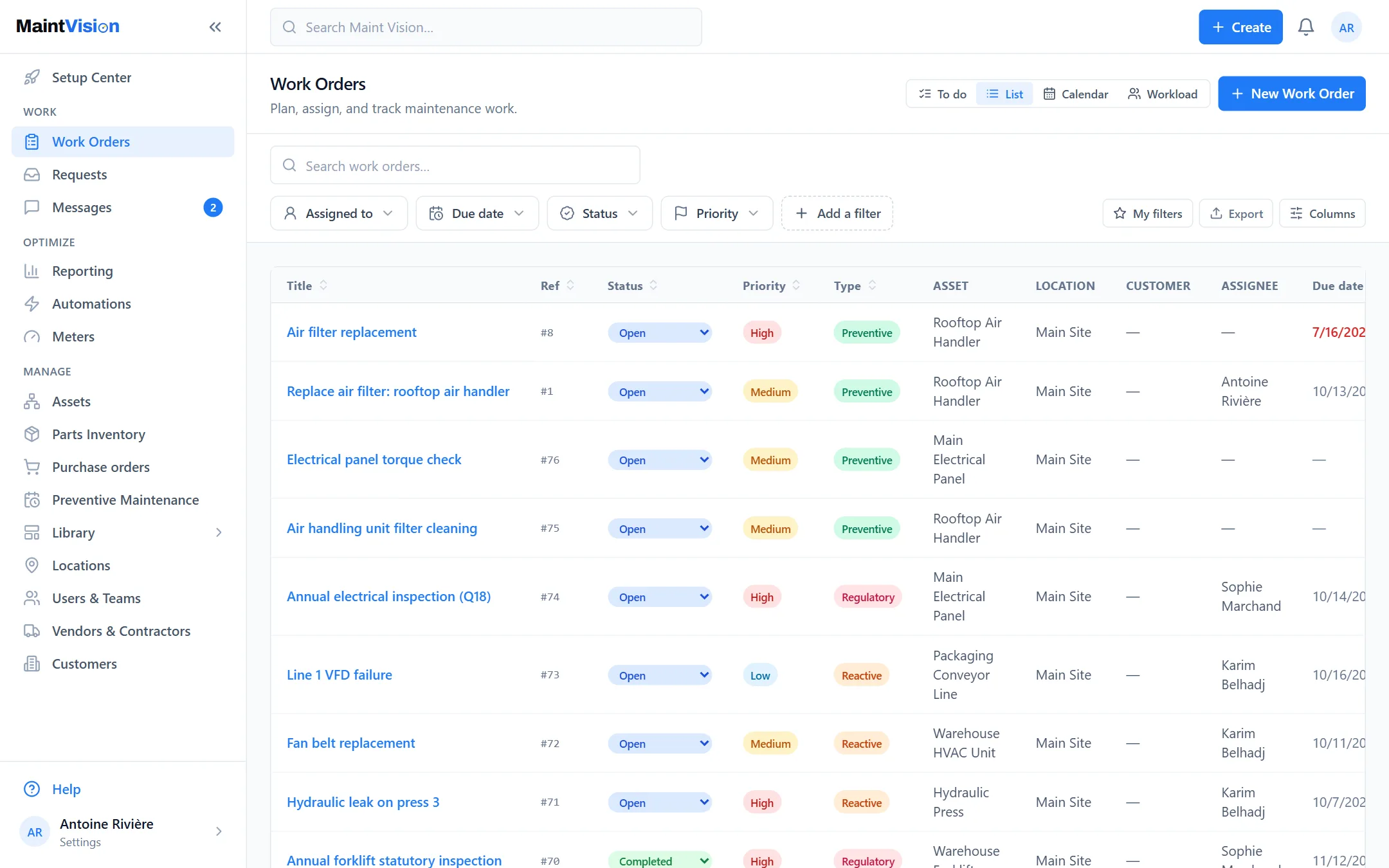
Create a work order in seconds
A title, an asset, an assignee: the work order is created. Maint Vision keeps entry light so it never slows the team down. Add a description, an attachment or a procedure when it helps. The form adapts to your need, from a quick fix to a planned job, with no useless fields to fill in.
Priorities, due dates and checklists on every job
Set a priority, a due date and an estimated time. Attach a checklist or a procedure: the technician checks off each step in the field. Nothing gets missed, every checkpoint is confirmed. A work order can only be closed once the required steps are done, so the job is always complete before sign-off.
The To-do view: your maintenance at a glance
The To-do view lists the work orders to handle, grouped by assignee (assigned to me, to others, unassigned) and sorted by priority, highest first, each with its status: open, in progress or on hold. One click opens the details next to the list, and the Done tab keeps the closed ones. Filter by technician, due date, status or priority to isolate what matters. It’s the maintenance manager’s daily dashboard, updated as the field works.
Photos, comments and parts used, all logged
The technician attaches a before/after photo, leaves a comment, records the parts pulled from stock. Everything stays tied to the work order and flows into the asset’s history. You keep a reliable record of what was done, with what, and at what cost. Useful for follow-up, warranty and audit.
Assign the right technician, track in real time
Assign the work order to one or more technicians. Each one is notified, takes ownership and updates the status from the field. You track progress in real time, without a phone call or a reminder. Reassign in one click when priorities shift. The right job reaches the right person, at the right moment.
From office to field: the same job on mobile
A work order created at the office appears at once on the technician’s phone. Same job, same checklists, same attachments. The field updates, takes photos, closes it out straight from the app. No double entry, no paper. Information flows both ways, continuously, between the shop floor and the office.
Frequently asked questions
Q.01Can I create a work order from a phone?
Q.02How do I prioritize urgent work orders?
Q.03Can a work order be linked to an asset?
Try this feature on your own equipment.
Create your workspace for free, no credit card: 30 days with every module except AI, for up to 2 users.