The CMMS in your technicians’ pocket
Maintenance happens in front of the machine, not behind a desk. The Maint Vision mobile app puts jobs, asset history and field capture in your technicians’ pocket. They scan, execute and document on the spot; with no network, the work orders and assets already opened, as well as the parts list, stay available read-only.
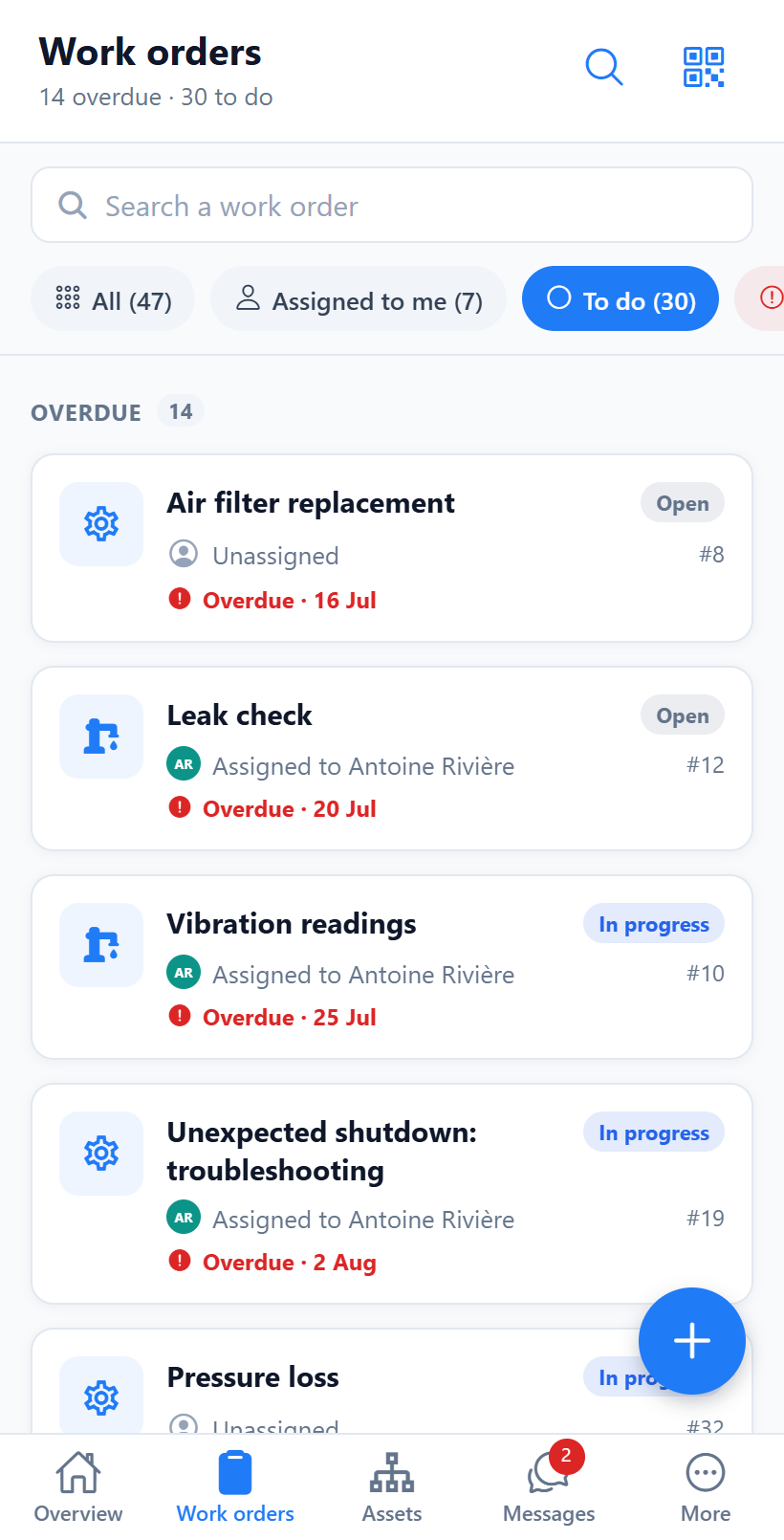
My jobs, in your pocket
Each technician opens the app and finds their work orders, sorted by priority and due date. No need to stop by the office to know what to do: the day’s list is clear, up to date and available anywhere. You open a job, handle it, close it, and the manager sees progress in real time on their side.
Scan an asset’s QR code
An asset QR code is all it takes: the technician scans it and instantly reaches its record, work history, preventive plans and documents. No more hunting for the right reference or file. You stand in front of the machine, scan, know exactly what you are dealing with and start the job without wasting time.
Photos, checklists, time and parts in two taps
In the field, every action counts. You take a photo, complete a checklist, log your time and record the parts used straight from mobile. Stock updates itself, the job is documented for the history. Everything is captured on the spot, with no loose notes to re-enter later and nothing lost between the shop floor and the office.
Maintenance requests from the field
An operator spots a fault? They create a maintenance request from their phone, with a title, a description and the priority, by scanning the asset concerned. The request reaches the manager, who approves it, then converts it into a work order; photos are added afterward on the work order. Nothing is lost between spotting the issue on the machine and acting on it, and the shop reports problems in real time.
Built for the shop floor, not for a desk
The app is designed for busy hands, gloves and a patchy connection. Large targets and fast input. With no network, the work orders and assets already opened, as well as the parts list, stay available in read-only mode; saving an entry needs the network, and a banner shows how recent the displayed data is. No cluttered menus inherited from desktop software: only what a technician needs, where they work, to document without slowing the job down.