Preventive maintenance software that never forgets
Breakdowns cost more than upkeep. Maint Vision’s preventive maintenance is set right on the asset: a frequency, a procedure, and due work orders create themselves. You move from reactive to preventive, without a spreadsheet.
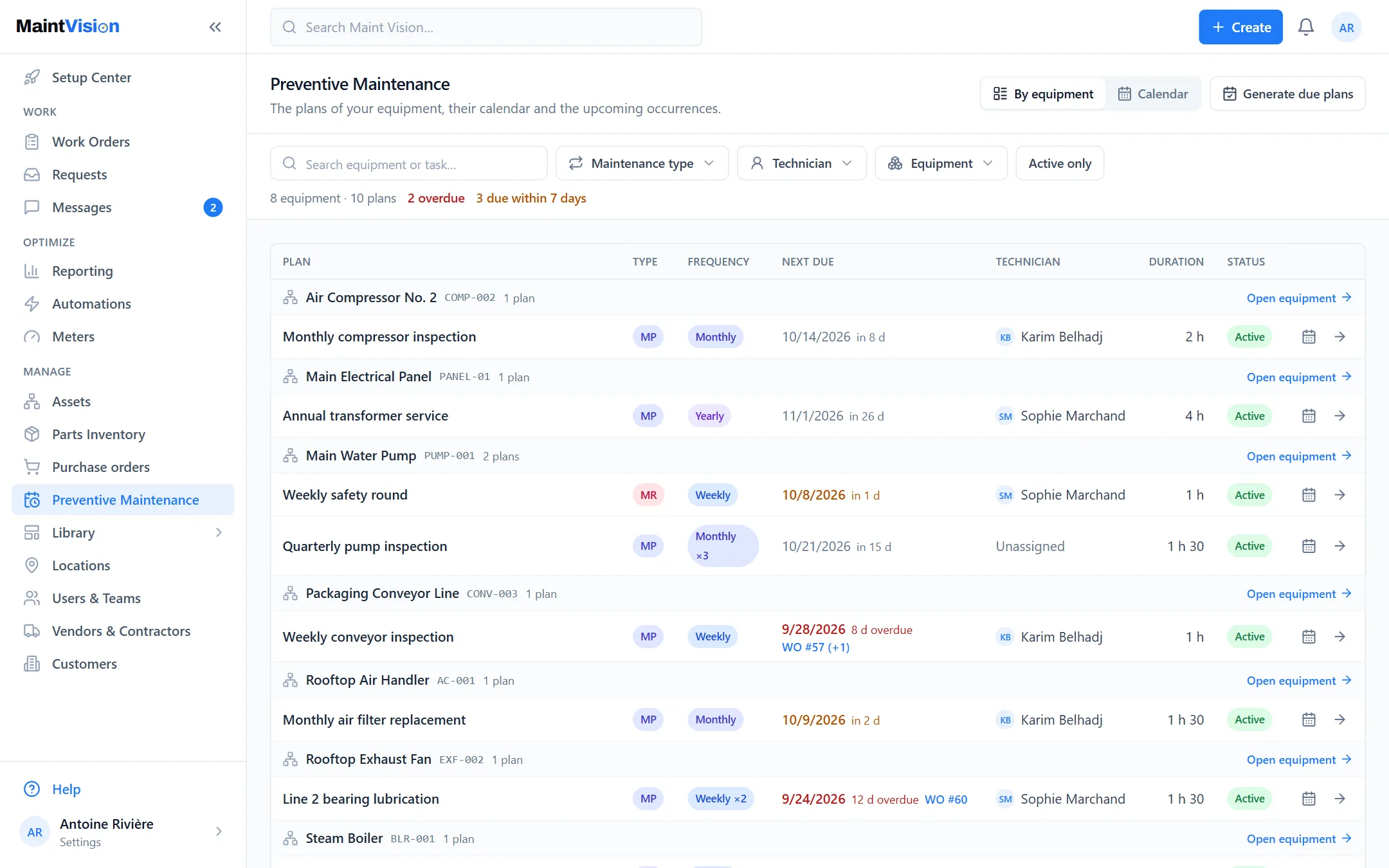
Preventive maintenance, set on the asset
Preventive work is defined where it matters: on the asset record. Each machine carries its own upkeep rules, as close as possible to the reality on the floor. No more abstract plan detached from the machines: open the record, set the frequency, it’s live. Maintenance follows the asset, not a separate table.
Frequencies, procedures and triggers on each machine
Set a calendar frequency (monthly, quarterly) or a usage-based trigger. Attach the procedure: the steps to carry out are already prepared. Each machine has its own rhythm and its own method. The technician receives a complete work order, with the matching checklist, without preparing anything.
Due work orders create themselves
On the due date, the preventive work order generates on its own, with its procedure and its deadline. It appears in the To-do view and on the calendar, ready to assign. No forgotten task, no manual reminder. The system keeps the rhythm for you; the team just carries out the job and closes it.
Move from reactive to preventive, without spreadsheets
Many teams still run preventive work in a spreadsheet nobody keeps up to date. Maint Vision replaces that file: due dates live in the CMMS, tied to assets and work orders. You see what’s due, what’s done, what’s overdue. Preventive maintenance becomes real, not just good intentions.
Generate your procedures with AI from a manual
Writing procedures takes time. Maint Vision’s AI reads a manufacturer manual and proposes a structured procedure: steps, checkpoints, frequency. You review, adjust, approve. The method is ready to attach to the asset. Enough to start a full preventive plan without beginning from a blank page.
Frequently asked questions
Q.01How does automatic work order generation work?
Q.02Can preventive work trigger on usage, not just the calendar?
Q.03Does the AI replace writing procedures?
Try this feature on your own equipment.
Create your workspace for free, no credit card: 30 days with every module except AI, for up to 2 users.