The maintenance schedule you rearrange with a simple drag
A calendar beats a spreadsheet. Maint Vision shows every work order on a month or week view. You see the workload, spot what’s urgent, reschedule with a drag-and-drop. Due preventive work adds itself, automatically.
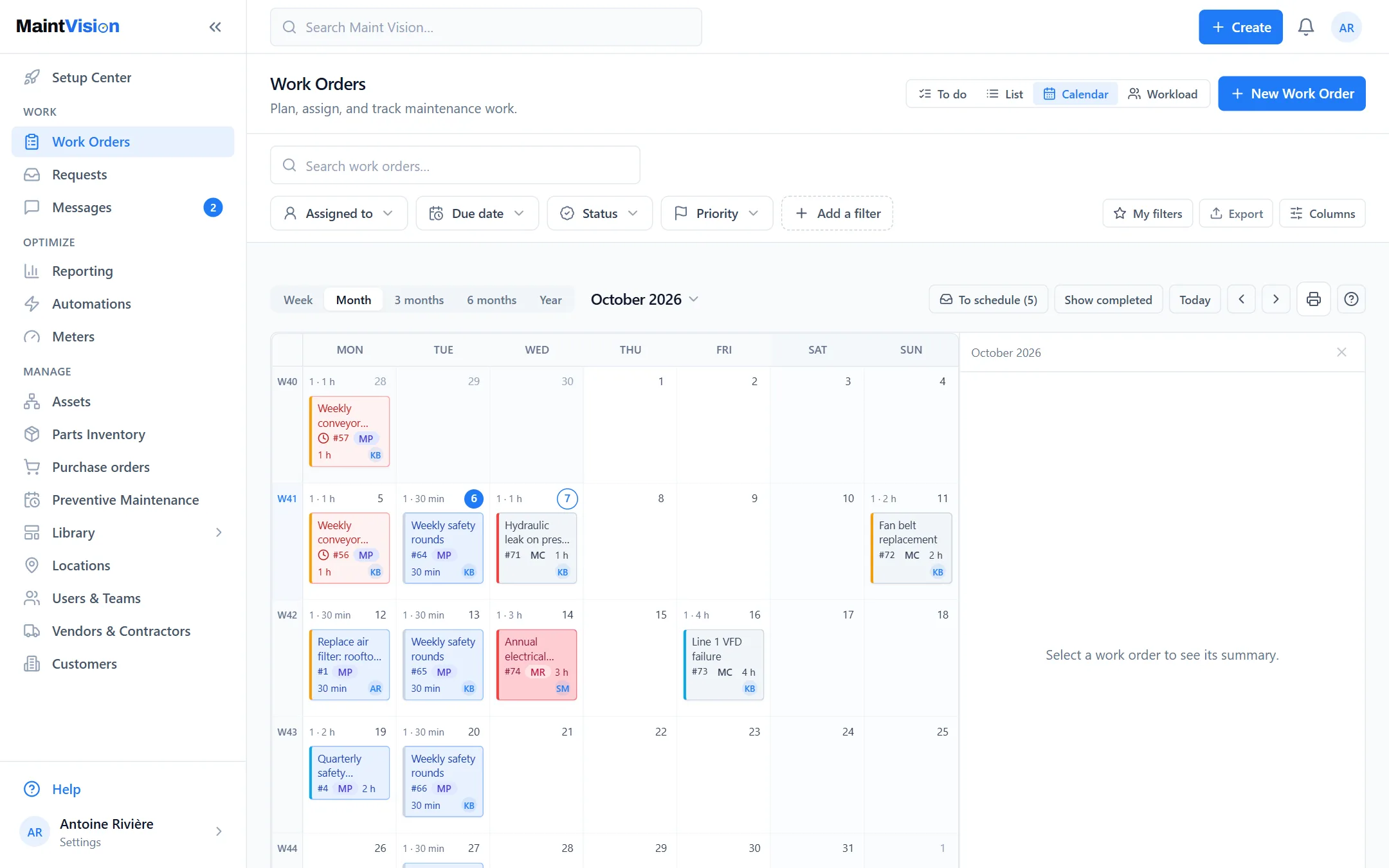
Month or week view, as you need
Switch from the month view, for the big picture, to the week view, for the daily detail. The month view frames preventive work and distant due dates. The week view helps the manager organize the team’s days. You toggle in one click, without losing your filters or your working context.
Priority color coding: spot what’s urgent at a glance
Each work order takes a color based on its priority. What’s urgent stands out immediately on the calendar, with no record to open. You spot a day overloaded with critical jobs in a single glance. Color coding becomes the team’s shared language for reading the schedule and deciding what to handle first.
Reschedule by drag-and-drop, in one second
A job slips? Grab the work order and drop it on another day: its due date updates. No menu, no form to reopen. When something unexpected disrupts the day, you reorganize the schedule in seconds, and everyone finds the new date on the work order, on the web and in the mobile app.
Workload per technician, balanced
The calendar shows what’s assigned to each person. You see who’s overloaded, who has room, and you rebalance before it spills over. No more guesswork: the real workload is visible. Spread jobs fairly and avoid one technician drowning while another waits for work.
Due preventive work appears automatically on the calendar
The preventive procedures set on your assets generate their work orders on the right dates. They appear on their own in the calendar, next to reactive jobs. You see the full workload, planned and unplanned, on a single view. No need to remember: due preventive work reminds you, at the right time.
Frequently asked questions
Q.01Can I move a job without re-entering everything?
Q.02Does preventive work appear on the calendar automatically?
Q.03How do I see each technician’s workload?
Try this feature on your own equipment.
Create your workspace for free, no credit card: 30 days with every module except AI, for up to 2 users.