A CMMS built for small teams
No maintenance planning team, no integrator budget? Maint Vision gives small teams the power of a real CMMS without the weight of a big project. Work orders, preventive maintenance, assets and mobile field work: your shop goes live on its own, in days.
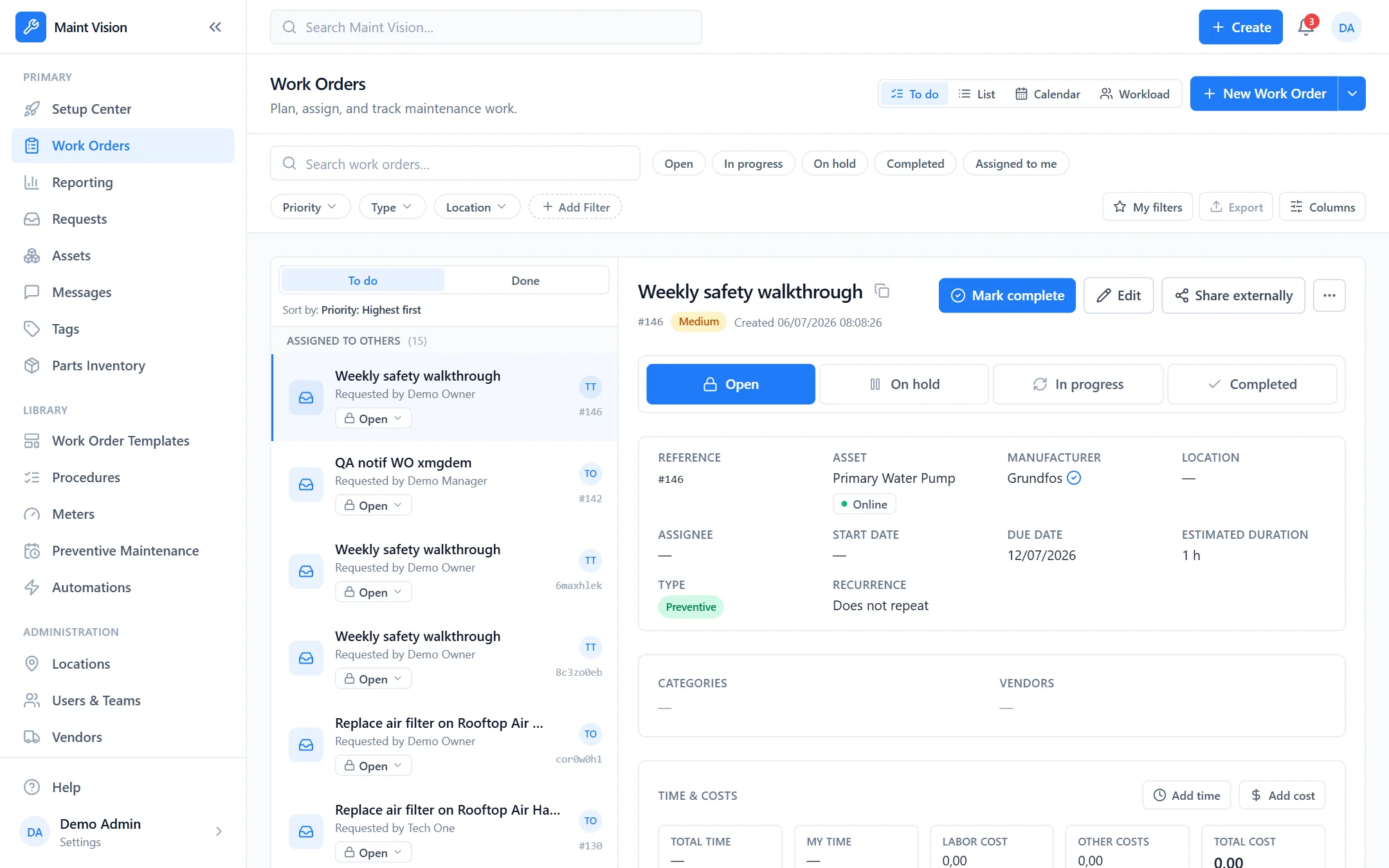
A CMMS with no integration project
No specification document, no on-site consultant. You create your account, import your assets from a spreadsheet and get started. The structure is ready for your data: sites, assets, work orders. A small team launches its maintenance in days, with no project phase or custom development, and grows its organization at its own pace.
Easy for the whole team to adopt
The interface stays clear for a technician and a manager alike, with no heavy training. You create, assign and close a work order in a few taps: description, priority, asset, parts. Everyone sees what they have to do. Less time in the software, more time in the field: that is the promise of a CMMS built for small teams.
Automated preventive maintenance, even without a planning team
You set a frequency or a meter reading, and preventive maintenance generates the work orders on its own, at the right time. No more missed lubrication, inspection or overhaul. You move from firefighting to planned upkeep, without building a complex maintenance plan or hiring dedicated maintenance planners.
Your technicians in the field, on mobile
Maintenance happens in front of the machine, not at a desk. Your technicians scan an asset QR code and open its history, preventive plans and open work. Photos, checklists and time are captured from the smartphone, and information flows to the right place, with no double entry or paper re-typed in the evening. With no network, the work orders and assets already opened, as well as the parts list, stay available read-only; saving an entry needs a connection.
Transparent pricing and a free trial
No opaque quote, no hidden setup fee. You try Maint Vision with our free trial with no credit card, on your own assets, before any commitment. Pricing is clear and sized for a small business. You decide once you have seen the value in the field, not on a sales promise.