The maintenance metrics that drive decisions
Running maintenance without numbers is flying blind. Maint Vision automatically measures costs, time spent and completion rates straight from your work orders. Your costs and equipment uptime export to CSV and PDF, clear enough for management.
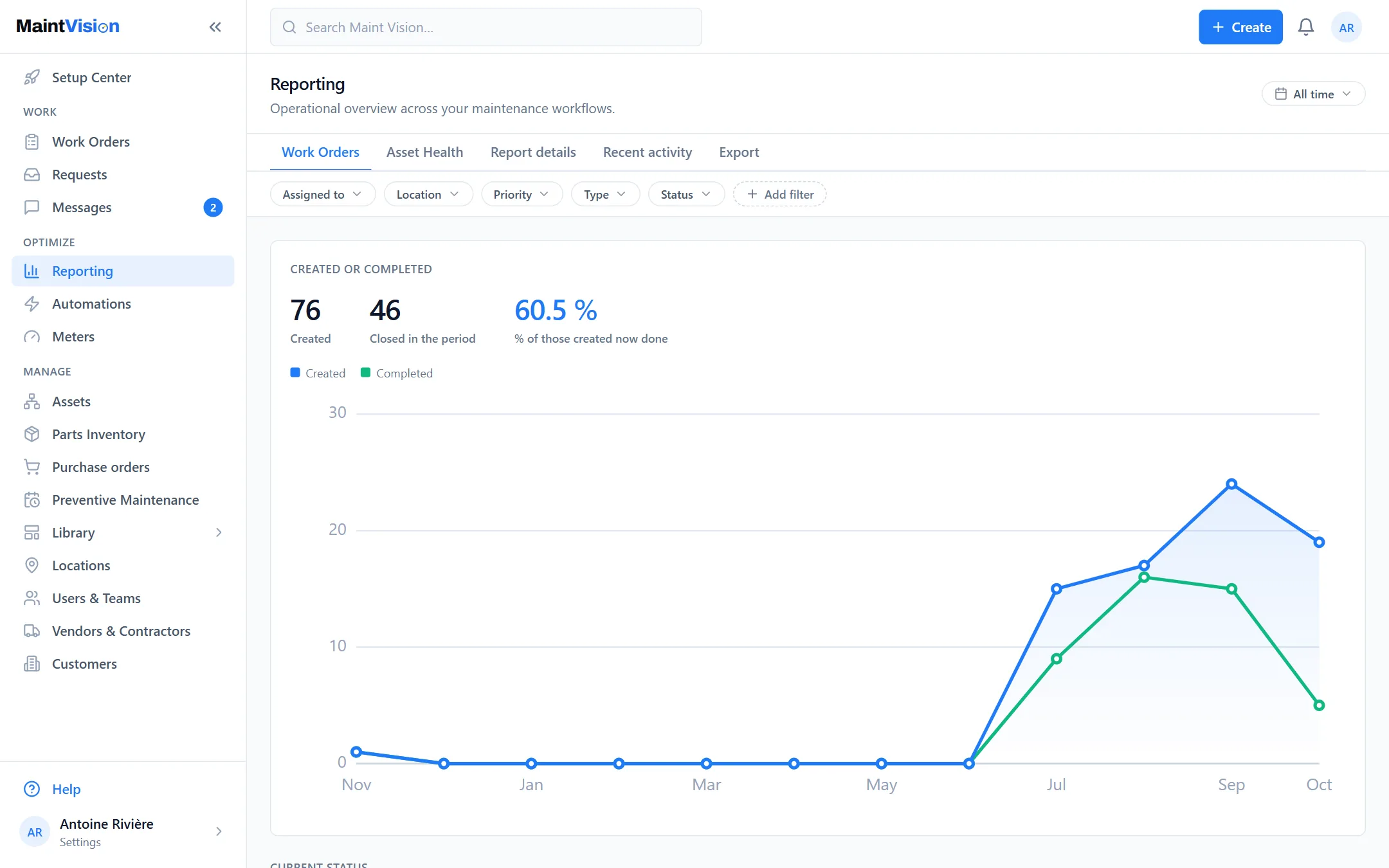
Costs and time spent, measured automatically
Every work order feeds your numbers: technician time spent, parts consumed, total cost. Nothing to re-enter, everything is calculated as the work happens. You see where the maintenance budget goes and on which assets, without spending an evening on a spreadsheet at month-end.
Completion rates and breakdowns by status, priority or type
How many work orders finished on time? How many overdue, on hold, preventive or corrective? Maint Vision breaks your activity down by status, priority and type. You spot the bottlenecks and the team’s real workload, instead of relying on a gut feeling.
Exportable reports, ready for the management review
Export your metrics for the monthly meeting or group reporting. Numbers are laid out cleanly, with no manual formatting to redo each time. You walk into the management review with factual, up-to-date data, not a spreadsheet cobbled together the night before.
The maintenance KPIs that matter (MTBF, MTTR…)
Track the indicators that shape mature maintenance: MTBF for asset reliability, MTTR for your responsiveness, preventive ratio, cost per asset. These KPIs come out of the data your teams already capture. You measure progress over time, target by target.
Frequently asked questions
Q.01Where do the report figures come from?
Q.02Can we export reports for management?
Q.03Do you need an expert to read these metrics?
Try this feature on your own equipment.
Create your workspace for free, no credit card: 30 days with every module except AI, for up to 2 users.